GPS alerts are more useful when they arrive through a channel the operations team checks frequently and provide enough context to act. Secure GPS now lets administrators configure their own WhatsApp Business account for notifications, and the default message template includes a link to the location associated with the alert.
The improvement is designed for GPS tracking companies, fleet administrators, monitoring centers, and security teams that want to include WhatsApp in their notification workflow. A recipient can receive the event and open its location from the message, reducing the steps between learning about an alert and reviewing where it occurred.
GPS notifications from your own WhatsApp Business account
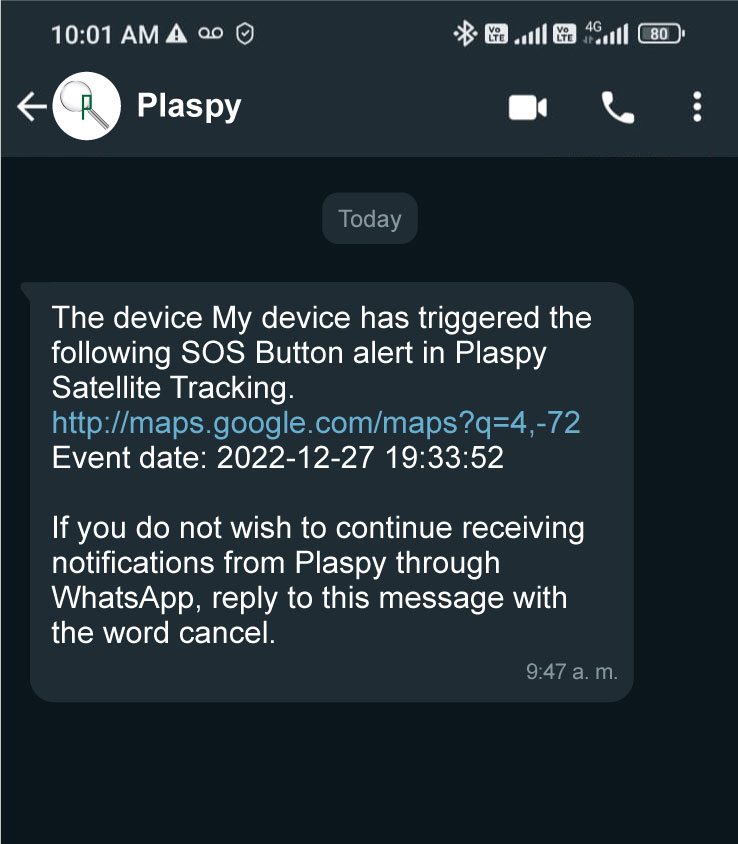
Secure GPS can generate alerts from conditions configured by the user. With this update, administrators can find an option in advanced settings to connect their own WhatsApp Business account and use it to send notifications through WhatsApp.
Using an organization-owned account brings these notices into a business channel the company already manages. Instead of manually transferring each event into a conversation, the notification can become part of an established workflow for informing operators, vehicle managers, or customers, subject to the applicable configuration and permissions.
What an administrator can do
- Configure a WhatsApp Business account from Secure GPS advanced settings.
- Use WhatsApp as a delivery channel for notifications enabled in the operation.
- Maintain the identity of the business channel the organization uses with its recipients.
- Test the workflow before adding it to a procedure for handling important events.
Configuration requires a valid WhatsApp Business account and the corresponding connection information. Those details are sensitive credentials: only authorized users should manage them, and they should never be shared in messages, public documents, or device descriptions.
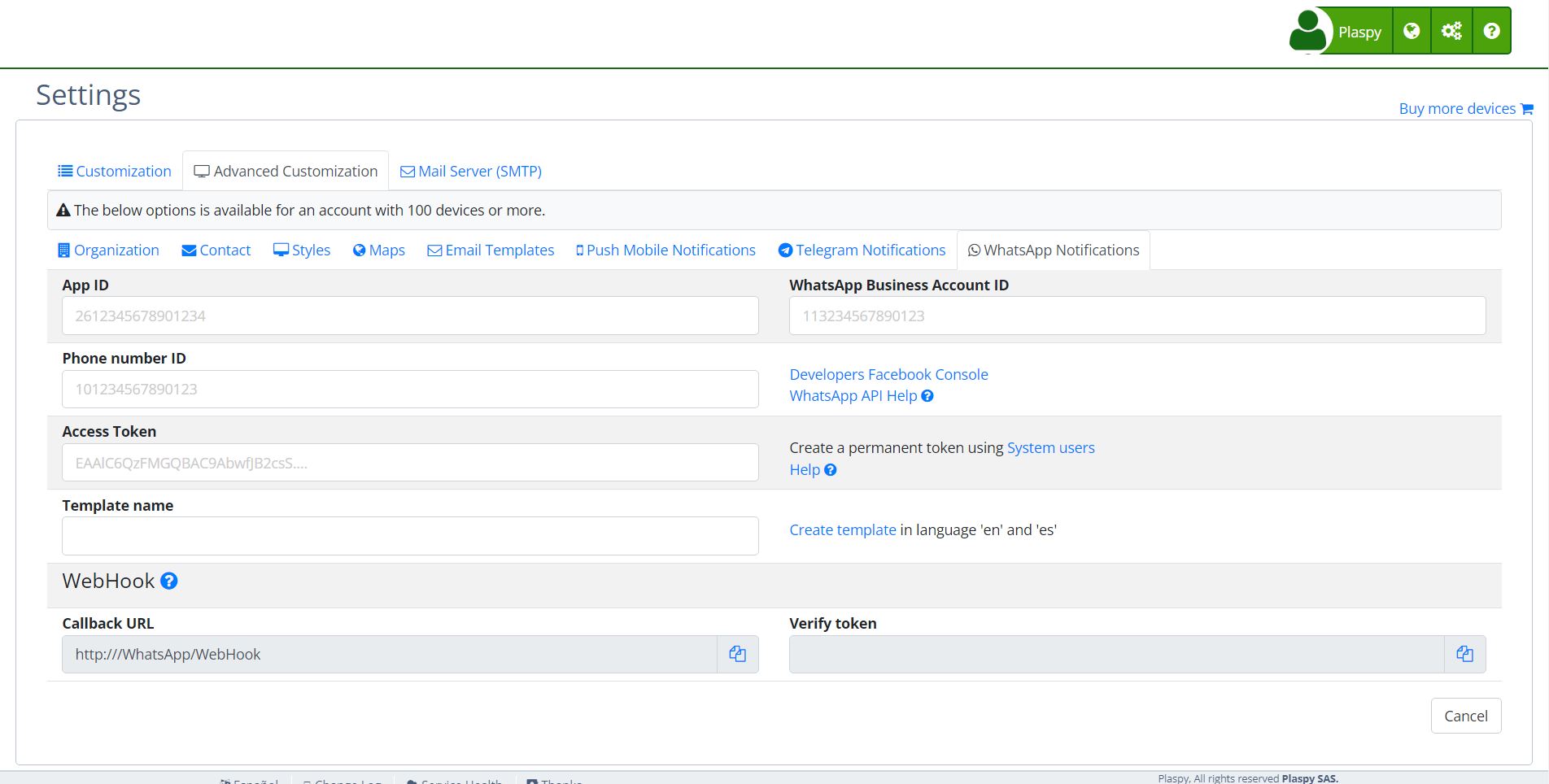
A location link inside the WhatsApp alert
The default WhatsApp notification template now includes a link to the alert location. In addition to reading that an event occurred, the recipient can open the related point and obtain geographic context for review.
This access reduces the friction of manually searching for the device, finding the event, and locating it in a separate step. From the message, a person can move to the associated location, check the information available in Secure GPS, and decide which response procedure applies.
A monitoring center workflow
Consider a coordinator who receives a WhatsApp alert about a vehicle while away from a desk. The link helps the coordinator open the event location and confirm which device is involved before contacting the driver or escalating the case to a security team. The advantage is not only receiving text, but connecting the notice with the geographic information needed to assess the situation.
The link represents the location associated with the alert; it is not a promise of the device's real-time position after the message was sent. If the device continues moving, the user should open Secure GPS and review its latest information before making an operational decision.
How to prepare GPS alerts through WhatsApp responsibly
- Confirm that the WhatsApp Business account is active and that the organization is authorized to use it with the intended recipients.
- Configure the account from Secure GPS advanced settings without exposing credentials to unauthorized people.
- Decide which alerts should use this channel and who needs them to complete a specific task.
- Run a controlled test and confirm that the message contains the expected location link.
- Document what recipients should do for each type of notice and maintain an alternate channel for critical events.
Advantages for fleets, security, and tracking services
For a fleet, the link shortens the path from receiving a notice to reviewing the map. For a GPS tracking company, an organization-owned account supports notifications through its business channel. For a security team, the message provides a starting point for verification without replacing confirmation and response procedures.
The feature also helps new users understand how two Secure GPS capabilities work together: alerts report a configured condition, while GPS tracking provides the location linked to the device. WhatsApp is the delivery channel; analysis and operational information remain available in Secure GPS.
Availability, delivery, and limitations
Notification delivery depends on correct account configuration, messaging service availability, connectivity, and the recipient's ability to receive the message. WhatsApp should therefore not be treated as the only mechanism for critical or safety-related situations.
Organizations should review their permissions, communication rules, and internal procedures. They should also avoid unnecessary personal information in alerts and always verify the device's latest information before taking an irreversible action.
Public technical summary
- Advanced settings support an organization-owned WhatsApp Business account for sending notifications.
- The default WhatsApp template includes a link to the location associated with the alert.
- The link opens geographic context for the event, but users should query the position again when they need the latest device status.
- No device migration is required; the administrator needs to configure and test the channel with the organization's own account.
With this integration, Secure GPS combines GPS alerts, location, and business messaging in a more direct workflow: receive the event, open its location, and continue the assessment in the platform.